Why AI Agent Systems Fail — and How to Fix Them
Most AI agent systems don't crash — they rot quietly while the dashboard stays green. 6 ways agentic systems fail, and the fixes that actually hold.

An AI agent system rarely dies with an error message.
It dies quietly. While the dashboard stays green.
None of it was the model being dumb. All of it was plumbing.
If you're running agents in production, or you're about to, these are the six ways they rot, and the boring fixes that stop it.
TL;DR
AI agent systems usually fail at the infrastructure layer, not the reasoning layer. A smarter model fixes none of this.
The most dangerous failure isn't a crash, it's a false-green dashboard (or a false-red one that trains you to ignore alerts).
Build correctness into the thing that creates work, not a downstream "cleanup" job you hope runs.
"Done" means done everywhere the code runs, and verified against the live system, not against a stored status.
Every automated loop needs five things: an owner, prevention, detection, closure, and review. Miss one and you've scheduled a silent failure.
What actually breaks in an agentic system?
That's the real question: what actually breaks in an agentic system? The failures that actually hurt are the invisible ones. They live in the wiring between the agents: how work gets created, how it gets checked, how you find out something stopped. An agent system is a distributed system that happens to think. And distributed systems don't fail loudly. They drift.
What follows is six specific drift patterns, each one pulled from a real system, each one sanitized down to the lesson. If you operate agents, you've probably got at least three of these running right now and don't know it.
Why do AI agents create the same task over and over?
Call this one the janitor who never showed up.
The system created a task every time it noticed a problem. Reasonable. Except it never checked whether that exact task already existed. So a handful of real issues got written down over and over. The work queue looked like a catastrophe. It was actually a few problems in a hall of mirrors.
That hall-of-mirrors pattern is one of the most common rot patterns in agent systems, because agents are generators, they produce work, messages, records, calls. And a generator without a memory repeats itself. Endlessly. Quietly. Until most of the queue is noise and the real signals drown.
The fix: build the dedupe into the thing that creates the work, not the thing that's supposed to clean up after it. The primitive that writes a task should refuse to write a duplicate, at the source, on every call, by checking for an existing open one with the same key. A downstream cleaner you "hope runs" is not a safety net. It's a wish. Make the operation idempotent, and the duplicate problem stops existing instead of getting swept up later.
Is your monitoring lying to you?
This was the scary one.
The scary one was the monitor re-reading old snapshots instead of re-checking the live system, so it kept re-raising problems that were already solved.
The mirror image is worse: a dashboard that's falsely green, reporting healthy while a core function is dead, is the one that ends with a customer telling you your product is broken.
The principle: false-red is as expensive as false-green. One wastes your time; the other hides your fires. Verify against reality before you touch anything.
What do you do with alerts that never mattered?
Buried in that red wall were a couple of test jobs someone spun up months ago to check something, then forgot. They were still beeping. Forever. Pure noise wearing the costume of signal.
Agent systems accumulate these like a garage accumulates boxes. A probe from a debugging session. A canary for a feature that shipped and moved on. A heartbeat for a job that was quietly retired. None of them mean anything anymore, and all of them are still lighting up the board.
The fix: retire what's dead the moment it's dead. Every alert that doesn't demand an action dilutes every alert that does. Think of your monitoring board as a budget, you only get so much human attention before people stop looking, and spend it exclusively on signals you'll actually act on.

Why does one "broken" feature have four causes?
One capability was just... off. Everyone called it broken and moved on. The kind of thing that sits in a backlog labeled "investigate later" for a month.
It wasn't one break. It was four, stacked, and each one was individually plausible:
- the code was written but had never been pushed live,
- its output was stuck behind an approval step nobody was clearing,
- a step was quietly missing (no images were ever attached to the output), and
- the alarm that should have flagged all of this had been muted weeks earlier.
Any single one of those would've been a five-minute fix. Together they looked like a mystery, and mysteries get deprioritized, because nobody can estimate them.
The fix: when something doesn't work, don't hunt for the bug. Walk the entire chain, end to end, and verify each hop carried. The failure is almost always a pile of small gaps, not one dramatic one.
The principle: "it's broken" is rarely one thing. It's a stack. Trace the whole path before you theorize. Picking the right tools matters here too, I went deep on that in the AI tools that actually matter, but no tool saves you from a chain you never traced.
Why does the same bug come back after you fixed it?
The system ran across two environments. A fix went into one of them, verified, working, celebrated, and was simply absent from the other, where half the jobs actually ran. "Fixed" was true and false at the same time, depending on which machine you asked.
That's the trap with agent systems: they sprawl across surfaces fast, a laptop, a server, a serverless function, three different runtimes, because that's how they grow. And a patch that lands on one surface and not the others isn't a fix. It's a fix with a built-in expiration date.
The fix: "done" means done everywhere the code runs. Before you close a fix, enumerate every environment the affected code executes in, and confirm the change is live on each one. If you can't list them, that's the actual bug, you've lost track of your own surface area.
Should you trust what the system says about itself?
The most seductive failure of all: trusting what the system reported about itself last week instead of checking what's true right now.
The fix: in any long-running agent system, treat stored state as suspect by default. Before you claim something is done, live, or dead, go look at the source of truth. The database row. The live URL. The actual API response. Not the note that says it's fine. Not the summary from three sessions ago.
What does a "closed loop" actually require?
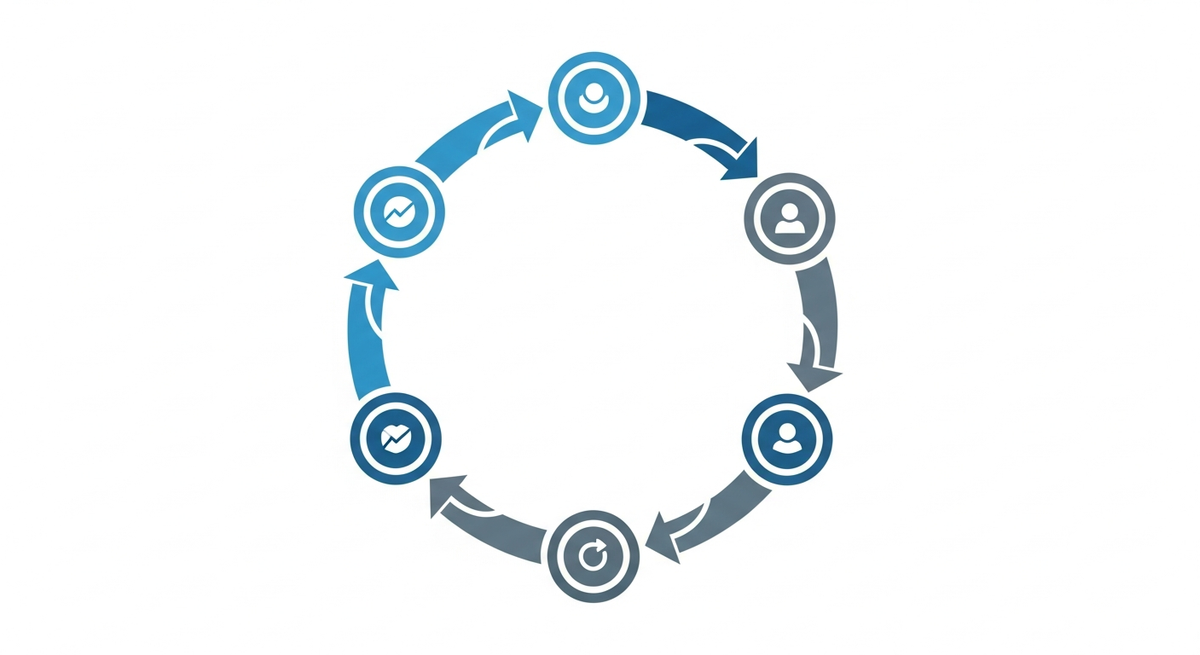
A loop is closed only when it has all five of these:
- An owner, a named person or agent accountable when it fails. Not "it runs on the server." A name.
- Prevention, the bad case is designed out at the source: idempotency, caps, timeouts, sane defaults.
- Detection, a positive heartbeat, so that silence itself is the alarm. "Ran and found nothing" must never look identical to "failed to run." Those are opposite states and your monitoring has to tell them apart.
- Closure, on failure, it auto-remediates or escalates into a tracked, owned task with a deadline. Never a fire-and-forget alert that scrolls off a screen.
- Improvement, someone reviews it on a schedule and tunes it.
Miss any one of those, and you don't have an automated job. You have a scheduled silent failure that simply hasn't gone off yet.
Frequently asked questions
Why do AI agent systems fail more often at the infrastructure layer than the model layer? Because the model is the part you rent, test, and watch, so its failures are visible and you catch them. The wiring between agents (how work is created, checked, and monitored) is custom, invisible, and rarely tested under failure. That's where drift accumulates silently. A more capable model does nothing to fix a duplicate-generating queue or a lying dashboard.
What's the single most dangerous failure mode in an agentic system? A dashboard that misreports reality, in either direction. A false-green board hides a dead function until a customer finds it. A false-red board trains your team to ignore alerts, so the one real alarm gets dismissed with the noise. Honest monitoring is the foundation everything else sits on.
How do I stop my agents from creating duplicate work? Make the work-creating operation idempotent. Before it writes a task, message, or record, it should check for an existing open one with the same key and update that instead of inserting a new one. Build this into the primitive that creates work, don't rely on a separate cleanup job, which only runs if someone remembers to schedule and maintain it.
Why does a fix I already shipped keep coming back? Almost always because your code runs in more than one environment and the fix only reached one of them. Before closing any fix, list every place the affected code executes, every server, runtime, and function, and verify the change is live on each. If you can't produce that list, the lost surface area is the real bug.
What's the minimum a scheduled agent job needs to be considered safe? Five things: a named owner, a designed-in prevention for the obvious failure, a positive heartbeat so silence becomes an alarm, an automatic closure or escalation path on failure, and a recurring review. Anything missing one of these is a silent failure waiting to happen, it just hasn't happened yet.
Where should I start if my agent system already feels flaky? Start with the dashboard, not the agents. Before you touch a single prompt, audit your monitoring: pick three alerts at random and re-run each one against the live system right now. Count how many were already false. That number tells you how much of your "broken" is real. Then walk one feature everyone calls broken end to end, created, shipped, triggered, produced, delivered, verified, and check each hop actually carried. You will almost always find the rot is in the wiring, not the reasoning, and that two boring fixes (idempotent task creation and honest heartbeats) remove most of the noise. Fix the signal first; you cannot debug a system whose alarms you have already learned to ignore.
---
Building systems like this? If you want structured training, Harry Lee's AI Agent Master Academy community on Skool (referral link) teaches Claude Code, n8n, AI agents, RAG and voice agents. And if you want the operating philosophy behind all of this, start with how I actually work with AI.
Related Articles



Ready to put this into action?
Let's talk about how AI automation and smart digital strategy can drive real results for your business.
Enjoying this content? Pin us as a priority in Google.
Make us your preferred source on Google