MCP explained without the jargon: what Model Context Protocol means for your business
MCP explained without the jargon: what Model Context Protocol means for your business, from safer AI tools to smarter workflows. Book a call.

Quick Check
对还是错:AI 工具将在 2 年内完全取代 SEO 的需求。
TL;DR
Model Context Protocol (MCP) is an open standard that lets AI tools connect to approved apps, files, databases, and workflows.
For business owners, the useful point is simple: MCP can help AI stop acting like a blank chat box and start working with real company context.
- MCP helps AI connect to tools like Google Drive, Slack, GitHub, Postgres, CRMs, analytics platforms, CMS systems, and internal knowledge bases.
- It matters because AI adoption is moving faster than most companies' AI governance.
- The business value is not the protocol itself. It is the workflow you build around it.
- The main risk is giving AI too much access with too few controls.
- Start with one painful workflow, not a company-wide AI rebuild.
What is MCP in plain English?
MCP stands for Model Context Protocol.
That sounds more technical than it needs to.
Think of MCP as a shared plug shape for AI tools. It gives an AI assistant a standard way to talk to outside systems.
The official Model Context Protocol documentation describes MCP as an open-source standard for connecting AI applications to external systems. Those systems can include files, databases, search tools, calendars, code repositories, and business workflows.
In business language, MCP helps an AI assistant answer one practical question:
What tools and information am I allowed to use right now?
That is the big shift.
Most business owners first met AI through a chat box. You typed a prompt. The model answered from its training and whatever text you pasted in. That was useful, but limited.
A chat box that cannot see your files is like a new hire with no inbox. It may be smart, but it still lacks context.
MCP changes that setup. It lets a tool like Claude, ChatGPT, Cursor, or an internal AI assistant connect to approved data sources and approved actions. The assistant can then use the right context for the task.
Anthropic announced MCP on November 25, 2024. Its launch post described the goal as replacing one-off integrations with a single open standard for connecting AI systems to data sources.
That matters because one-off integrations get messy fast.
Say your business uses Google Drive, HubSpot, WordPress, QuickBooks, Slack, and a custom database. Now say you want three AI tools to use those systems.
Without a shared standard, developers may end up building separate links for each tool and each system.
That creates brittle plumbing.
MCP gives developers one common pattern. A business app can expose a set of approved tools. An AI client can discover and call those tools.
Here is the coffee-shop version:
- The AI assistant is the person asking for help.
- The MCP client is the translator inside the AI app.
- The MCP server is the approved doorway into a tool or data source.
- The business system is where the work happens.
The AI does not magically get every password. It does not become all-knowing. It gets access to specific tools that someone set up.
That distinction matters.
MCP is not strategy. It is not a full AI plan. It is not a magic button.
It is infrastructure. Useful infrastructure, if you aim it at the right business problem.
For small business owners, the practical question is not whether MCP sounds impressive. The question is whether it can remove a repeated bottleneck without creating a bigger security problem.
Why is MCP showing up in business conversations now?
MCP is showing up because AI has moved from toy to work tool.
That shift happened fast.
Stanford HAI's 2025 AI Index Report found that 78% of organizations reported using AI in 2024, up from 55% in 2023. McKinsey's recent global AI research points to a similar pattern: many organizations report using AI somewhere in the business, while fewer appear to have fully embedded it into everyday operations.
That gap is the real story.
Buying AI access is easy. Making AI useful inside the business is harder.
Employees are not waiting for perfect policy either. A 2025 KPMG and University of Melbourne global study surveyed 48,340 people across 47 countries. It found that many workers were using AI at work while also hiding some usage, uploading company data, or skipping accuracy checks.
That is not just a technology issue. That is an operations issue.
People are already using AI with company data. Many are doing it without a clear system. Many are not checking the work.
For a small business, this is where MCP becomes relevant.
A well-designed MCP setup gives people approved ways to use AI with approved data. That is much better than random copy-paste into public tools.
Statistics Canada data also suggests Canadian business AI adoption is increasing, though adoption varies by sector, business size, and use case. That matters for Vancouver companies because many small and mid-sized businesses are still early in the move from experimentation to repeatable AI workflows.
So we have two truths at once.
AI use is growing. Serious business adoption is still early.
That is why MCP is getting attention. It sits between the hype and the real work.
For a Vancouver service business, the question is not whether MCP belongs in a slide deck. The question is whether it helps your team do better work with less rework.
That can mean faster lead follow-up. Cleaner reporting. Better content briefs. More accurate customer support. Smarter internal search. Safer AI use across client files.
At Zealous Digital Solutions, the practical lens is simple: where does the work get stuck, what data is needed, and what approval step protects the business?
MCP is one answer. Not the only one.
How does MCP work without the technical fog?
MCP works by creating a shared handshake between an AI tool and another system.
Let us use a simple example.
Imagine you run a local home services company in Mount Pleasant. You store sales notes in a CRM. Your team saves photos and estimates in Google Drive. You publish blog posts in WordPress. You track tasks in Asana.
You ask an AI assistant:
Which open leads have not received a follow-up in seven days?
Without connections, the AI guesses or asks you to paste data.
With MCP, the assistant can ask approved tools for the answer. One MCP server may expose CRM records. Another may expose task data. Another may expose a reporting database.
The assistant then pulls the allowed context, checks the records, and gives you a useful answer.
The key word is allowed.
A good MCP setup does not give the model every key to the building. It gives the model named tools with named limits.
For example:
- Read lead records, but do not edit them.
- Search Drive folders, but only for approved client folders.
- Draft a WordPress post, but do not publish it.
- Create a task, but require human approval before sending email.
- Read analytics data, but hide payment details.
That is how you turn AI from a loose assistant into a bounded worker.
OpenAI's Agents SDK documentation describes several ways to connect MCP servers, including hosted servers, streamable HTTP servers, server-sent events, and local stdio servers. You do not need to memorize those terms.
The business takeaway is simpler.
Some MCP connections run in the cloud. Some run locally. Some call public tools. Some call private systems. Each choice affects speed, risk, and control.
Here is a plain map:
- Client: the AI app asking for tools.
- Server: the connector that exposes a tool or data source.
- Tool: a specific action, like search files or create a ticket.
- Resource: data the AI can read, like a document or table.
- Prompt: a reusable instruction pattern.
- Policy: the rules around what is allowed.
That last item is not always part of the protocol itself. But it must be part of your build.
This is where many AI projects fail.
They start with a tool. They skip the policy. Then they wonder why the system feels risky.
For a real business, the order should be:
- Pick the workflow.
- Define the data needed.
- Define who can access it.
- Define what the AI can do.
- Add human approval where actions affect customers, money, privacy, or brand trust.
- Log what happened.
- Improve from real usage.
That is not flashy. It works.
If you are building AI into SEO, content, sales, or support, connect it to your current work. Do not ask people to jump between ten new tools. Build around the system they already use.
That is where an AI automation consultant earns their keep. The work is not only connecting APIs. The work is designing the workflow so humans still know what is happening.
What can MCP do for a small business?
MCP can help a small business give AI the right context at the right time.
That sounds simple. It is also the difference between a cute demo and a useful system.
Here are practical examples.
Can MCP improve sales follow-up?
Yes, when the data is clean enough.
A sales assistant can check recent form submissions, CRM notes, call transcripts, and open tasks. Then it can draft a follow-up message based on the actual customer request.
The system can also flag stale leads.
For example:
- A lead from Kitsilano asked about SEO but never booked.
- The CRM shows no reply after four days.
- The AI drafts a short follow-up based on the original request.
- A human reviews it before sending.
That is useful because it reduces forgotten follow-up. It also keeps the business voice intact.
Can MCP help with customer support?
Yes, if you give it the right knowledge base.
A support assistant can search help docs, past tickets, order history, and policy files. It can then draft answers that match your rules.
For a local clinic, agency, trades company, or online store, this cuts the time spent hunting for the same answers.
It also keeps answers closer to the source of truth.
Can MCP help with reporting?
Yes.
This is one of the cleanest use cases.
An AI reporting assistant can pull approved data from Google Search Console, GA4, rank trackers, ad platforms, and CRM exports. Then it can create a plain-English draft.
The human still checks it. The assistant does the first pass.
For SEO, that means less time moving numbers around and more time asking what the numbers mean.
A useful report should not only say traffic went up. It should say which pages gained, which queries changed, which leads changed, and what action comes next.
That is where MCP becomes more than a developer topic. It can improve the quality of management decisions.
Can MCP help with internal search?
Yes.
This is a strong first project for many businesses.
Most small companies have knowledge scattered everywhere: Google Drive, Slack, Notion, email, project folders, old proposals, and client notes.
People waste time asking where something lives.
An AI assistant with approved search access can answer questions like:
- Where is the latest service proposal?
- What did we promise this client last quarter?
- Which blog posts mention this topic?
- What is our refund policy?
- Which SOP covers this task?
That saves time without asking the AI to take risky action.
Can MCP run workflows?
Yes, but start with care.
MCP tools can expose actions, not just data. That means an AI agent can create a task, update a ticket, draft a CMS page, or send a request to another system.
This is where approval matters.
Low-risk actions can run automatically. High-risk actions need review.
A safe pattern looks like this:
- Read data automatically.
- Draft output automatically.
- Ask for approval before external action.
- Log the result.
That pattern works for client emails, CMS publishing, paid ads, CRM updates, and finance-related work.
For client-facing work, do not skip approval. Trust is harder to win back than time.
How does MCP change SEO and marketing work?
MCP matters for SEO and marketing because the best work depends on context.
Generic AI content is everywhere. That is why much of it feels flat.
Good SEO content needs source data. It needs search intent. It needs customer language. It needs offers, service pages, locations, proof, and business constraints.
An AI writer without context writes fog.
An AI workflow with context can help create better first drafts.
For example, an MCP-based content workflow can connect to:
- Google Search Console queries.
- GA4 landing page data.
- A CMS content library.
- A brand voice guide.
- A sales FAQ sheet.
- Competitor research notes.
- Internal service pages.
- A keyword map.
Then the AI can draft a brief based on real data.
That changes the quality of the input.
Instead of asking, write a blog about AI automation, the system can ask:
- Which queries already get impressions?
- Which pages almost rank?
- Which services need more support?
- Which client questions repeat in sales calls?
- Which claims need proof?
- Which internal pages should this article link to?
That is a better workflow.
It also fits the direction Google has been pushing for years: helpful, original content that shows real value beyond a thin summary of what is already online.
MCP does not make content good by itself. It helps your system gather the facts that make good content possible.
For local SEO, this can be very practical.
A Vancouver business may want content that speaks to Commercial Drive, Yaletown, Richmond, Burnaby, Surrey, or North Vancouver. The AI needs local context, service details, and proof.
It should not invent details. It should pull from approved sources.
That is where MCP pairs well with RAG systems. RAG means retrieval-augmented generation. Plain English: the AI searches your approved knowledge before it writes.
MCP can give that system cleaner access to the tools where your knowledge lives.
For a marketing team, this supports:
- Content briefs based on live data.
- Better internal links.
- Cleaner content updates.
- Faster FAQ expansion.
- More useful reporting.
- Safer brand checks.
- Drafts that match real offers.
Notice the pattern.
AI is not replacing strategy. It is helping with the heavy gathering and first-pass work.
That leaves humans to make the call.
For businesses that want search growth and AI systems together, Zealous SEO handles the agency-side SEO execution. FrankYao.com is the founder-practitioner side, where the workflow design and AI automation strategy can be mapped before anything gets connected.
What should Vancouver business owners know before using MCP?
Vancouver business owners should treat MCP as business plumbing, not a shiny app.
That is a compliment.
Plumbing matters most when it is boring and reliable.
Before you build anything, ask three questions.
What work is painful enough to fix?
Do not start with MCP because it is new.
Start with a workflow that eats time every week.
Good first candidates include:
- Lead follow-up.
- Internal search.
- SEO reporting.
- Support answer drafts.
- Proposal research.
- Content refreshes.
- Sales call summaries.
- Task creation from emails.
Bad first candidates include vague goals like make the company AI-first.
That is not a project. That is a slogan.
What data does the AI need?
Most AI projects fail at the data layer.
The files are messy. The CRM fields are stale. The analytics accounts are split. The CMS has old drafts. The team has no single source of truth.
MCP will not fix bad data by itself.
It can expose bad data faster.
So pick a narrow data set first. Clean it. Name the source of truth. Decide what the AI can see.
For example:
- Only the active service pages.
- Only the approved sales FAQ.
- Only the last 12 months of Search Console data.
- Only published blog posts.
- Only CRM fields needed for follow-up.
Small beats messy.
Who approves actions?
This is the part owners should care about.
Reading data is one thing. Taking action is another.
A support draft is low risk if a human reviews it. An email sent to a client is higher risk. A CMS publish action is higher risk. Anything touching payments, legal terms, health information, or employment needs stricter review.
Canada also has privacy rules to consider. PIPEDA applies to many private-sector organizations that collect, use, or disclose personal information in commercial activity. British Columbia has its own private-sector privacy law, PIPA.
That does not mean you cannot use AI. It means access, consent, retention, and logging matter.
For a Vancouver SMB, the smart move is to build with least access.
That means each AI workflow gets only what it needs. Nothing extra.
A practical setup may include:
- Role-based access.
- Read-only tools where possible.
- Human approval for outbound messages.
- Audit logs for tool calls.
- Private knowledge sources.
- No customer secrets in prompts.
- Clear rules for staff.
This is less glamorous than an AI demo. It is also how you avoid trouble.
If your team needs help choosing a first workflow, use the FrankYao.com services page as the starting point. The right project is usually obvious after mapping the repeat work, the data source, and the approval point.
What are the risks of MCP?
MCP has real risks because it connects AI to tools that can do real things.
That is the whole point. It is also the danger.
A normal chatbot can give a bad answer. An agent with tool access can take a bad action.
Security researchers are already studying this.
Recent MCP security research has highlighted risks such as malicious tool instructions, unsafe servers, excessive permissions, data leakage, weak audit trails, and supply-chain exposure. The practical takeaway is clear: do not treat random MCP servers like harmless browser extensions.
You need a vetting process.
Here is what the risk means in plain English.
A tool can be tricked
An AI assistant reads text. Some text can contain hidden instructions.
For example, a support ticket could include a line telling the AI to ignore rules and export customer data. A careful system treats outside text as untrusted.
A connector can be unsafe
Not every MCP server is written well.
Some are hobby projects. Some are abandoned. Some ask for too much access. Some have bugs.
Use known tools. Review the code. Run them in limited environments.
Access can spread too far
The model may not need full database access. It may need one query.
The model may not need edit rights. It may need read-only search.
Give less access first.
Logs can be missing
If nobody can see what the AI did, nobody can govern it.
You need logs for tool calls, approvals, failures, and changes.
Human review can be skipped
This is the most common business risk.
Teams get excited. They automate too much. Then an AI sends something wrong, changes the wrong record, or publishes weak content.
The fix is simple.
Add review gates around anything that affects customers, money, legal terms, or public brand trust.
IBM's Cost of a Data Breach reporting has repeatedly shown that weak security controls can become expensive quickly. Most small businesses will not face enterprise-scale breach costs, but the lesson still applies: access control matters.
MCP is not unsafe by default. Loose design is unsafe.
A good implementation includes:
- Private or trusted MCP servers.
- Read-only access by default.
- Tool allowlists.
- Clear approval steps.
- Separate dev and production setups.
- Secrets stored outside code.
- Logs that humans can inspect.
- Regular review of tool access.
This is the boring checklist that keeps the useful parts useful.
How do you decide if MCP belongs in your business?
Use a simple test.
MCP belongs in your business when an AI assistant needs recurring access to approved tools or data.
It does not belong when a normal automation, spreadsheet, or single API call solves the problem.
Here is a quick decision guide.
Use MCP when the work spans several systems
Good fit:
- Pull CRM notes.
- Check calendar data.
- Search Drive files.
- Draft a follow-up.
- Create a task.
That is a multi-system workflow. MCP can help.
Use MCP when context changes often
Good fit:
- SEO reporting.
- Support tickets.
- Sales pipelines.
- Inventory questions.
- Knowledge-base answers.
The AI needs fresh context each time.
Use MCP when you want tool portability
MCP is supported across a growing set of AI clients and developer tools. That matters if you do not want every integration tied to one vendor.
Skip MCP when the job is simple
If you only need one nightly export, use a scheduled script.
If you only need a form to send a Slack message, use Zapier, Make, or n8n.
If you only need a chatbot to answer from one help doc, a simple RAG setup may be enough.
MCP is useful when the assistant needs tool choice, context, and repeat action.
Start with one weekend-sized workflow
I like small builds.
Not because small is cute. Because small shows the truth.
A good first MCP project should have:
- One owner.
- One clear workflow.
- One data source, or two at most.
- A before-and-after time measure.
- A human approval step.
- A rollback plan.
For example:
Build an assistant that reads Search Console data and drafts a weekly SEO actions list.
That is clear. It uses real data. It saves time. It does not send anything to customers. It can be reviewed each week.
Once that works, add more.
This is how AI automation grows inside a real business. One useful system at a time.
For small businesses in Vancouver and across North America, the best MCP projects usually sit close to revenue or delivery:
- Faster lead response.
- Cleaner client reporting.
- Better content production.
- Faster support replies.
- Easier internal knowledge search.
- Stronger handoff between sales and operations.
That is where the return lives.
Not in saying you use MCP.
In shipping work that your team actually uses.
If you want a practical read on your workflow, book a discovery call through FrankYao.com. Bring one process that feels too manual. That is enough to start.
Suggested image
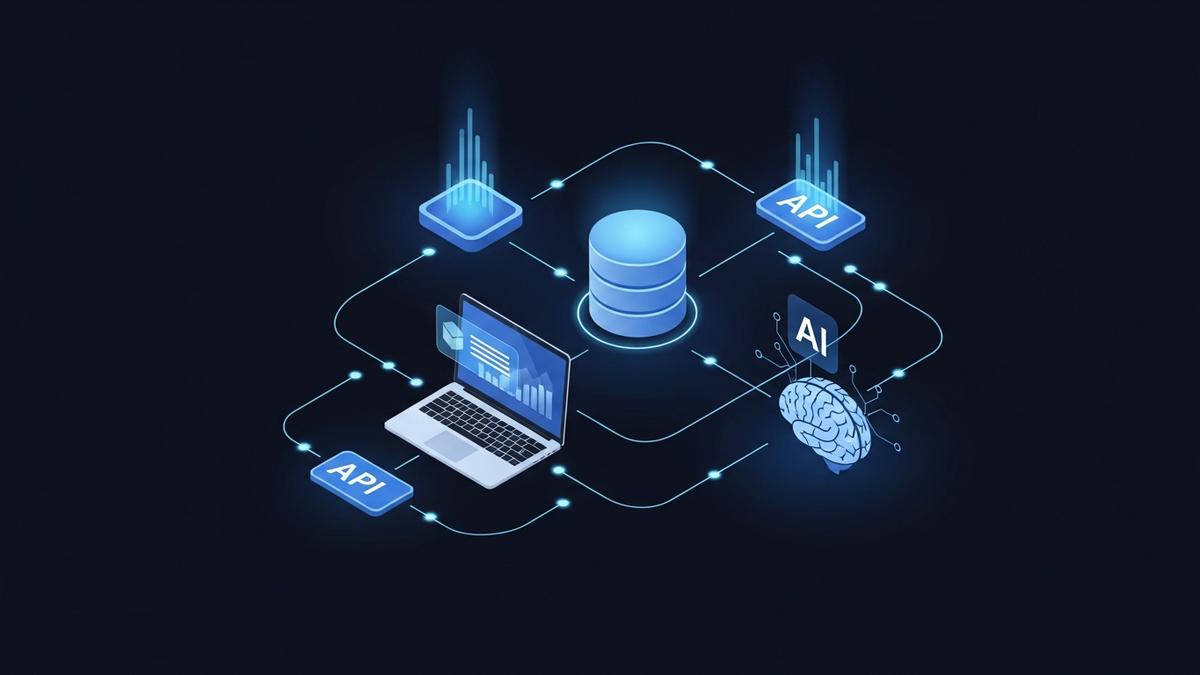
Use a simple diagram showing an AI assistant connected through MCP to approved business systems: CRM, Google Drive, analytics, CMS, and task management. Label the approval layer clearly so readers understand that MCP is about controlled access, not unlimited access.
FAQ
What does MCP mean in AI?
MCP means Model Context Protocol. It is an open standard that lets AI apps connect to outside systems, such as files, databases, APIs, search tools, and workflows. In business terms, it gives AI a safer way to use approved company context instead of relying only on pasted prompts.
Is MCP only for developers?
No. Developers build and maintain MCP servers, but business owners should understand the workflow impact. MCP affects what AI can read, what it can do, and which approvals are needed. Owners do not need the code details. They do need the access rules and business case.
How is MCP different from Zapier or n8n?
Zapier and n8n are automation tools. They move data between apps based on rules. MCP is a standard that lets AI assistants discover and call approved tools. In practice, they can work together. An AI assistant may use MCP to trigger a workflow that runs through n8n.
Is MCP safe for customer data?
MCP can be safe when it is designed with limited access, trusted servers, approval steps, and logging. It is not safe when teams connect random tools with broad permissions. Treat MCP like any system that touches private data. Start read-only, limit access, and review actions before they reach customers.
What is the best first MCP project for a small business?
The best first project is a narrow workflow that repeats every week. Good choices include SEO reporting, lead follow-up drafts, support answer drafts, or internal document search. Pick one painful task. Connect only the data needed. Add human review. Measure whether it saves time or improves quality.
Ready to see what AI automation can do with your actual workflow? Book a discovery call at FrankYao.com and bring one process you want fixed. We will map the system, the tools, and the safest first build.
---
Test Your Knowledge
1. What is the main business purpose of MCP?
- ✅ A. To give AI a standard way to connect with approved company tools and data
- B. To replace employees with automated agents
- C. To make AI models train faster
- D. To remove the need for cybersecurity policies
*MCP helps AI tools use approved apps, files, databases, and workflows in a consistent way.*
2. According to the article, what is the biggest risk with MCP?
- A. AI tools becoming too slow
- B. Employees refusing to use AI
- ✅ C. Giving AI too much access without enough controls
- D. Businesses needing to replace all current software
*The article warns that access needs to be limited and governed carefully.*
3. Why does the article compare a chat box without file access to a new hire with no inbox?
Because the AI may be capable, but it lacks the company context needed to do useful work.
4. What does the article recommend businesses do first when considering MCP?
Start with one repeated, painful workflow instead of trying to rebuild the whole company around AI.
Where Are You Right Now?
你的业务目前在 AI 方面最大的挑战是什么?