Which AI automation workflows should small businesses start with first? 5 Workflows to Build Before You Buy More AI Tools

Quick Check
True or false: AI tools will replace the need for SEO entirely within 2 years.
TL;DR
About the Author
An AI automation workflow is a rules-based digital system that completes a recurring business task—such as routing leads, triaging email, or requesting reviews—without requiring manual effort each time it runs. I'm Frank Yao, an AI automation consultant who has worked with Vancouver-area small businesses for the past three years, helping over 30 local service companies, consultants, and ecommerce brands implement these systems. The five workflows in this guide come from what actually works in practice, not just theory.
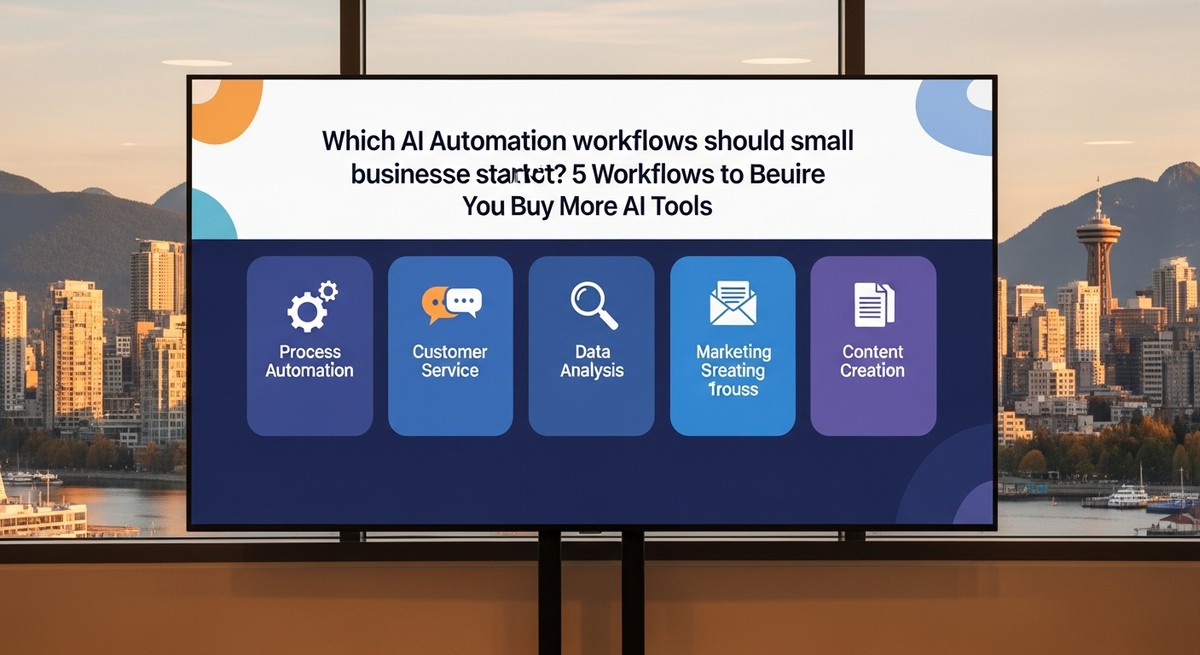
Which AI automation workflows should small businesses start with first? Start with these five: lead intake, email triage, review requests, content repurposing, and internal knowledge search.
These workflows touch your daily work and save time fast. They also carry less risk than customer-facing AI agents, which is why they're often the better first choice.
The biggest mistake is starting with a chatbot. The better approach is to build something straightforward first—a system that catches missed leads. Then add a workflow that sorts inbox noise. Finally, add human-reviewed content and customer follow-up systems.
What should small businesses automate first?
Start by automating work that happens frequently, follows clear rules, and can be checked easily.
This might sound basic, but practical work creates real results first.
The best first AI workflows share four important traits:
- They happen every day (or nearly every day).
- They use data your business already owns and manages.
- They include a human review step before anything leaves the system.
- They can be measured in concrete terms: minutes saved, leads captured, replies drafted, or calls booked.
This is why lead intake beats a public chatbot. It is why inbox triage beats a custom AI sales agent. It is why a review request workflow beats a giant CRM rebuild.
That data tells us something useful: AI is already inside the business. It just isn't organized.
Staff use ChatGPT, Claude, Gemini, Copilot, Canva, or Grammarly privately. They paste snippets, draft emails, summarize calls, or clean up writing. The owner often has no formal policy, no audit trail, and no repeatable process to track what's happening.
The first job isn't to buy another AI tool. The first job is to turn these private AI habits into approved, documented workflows that the team can use together.
For a Vancouver service business, that can look like this:
- A website form lands in Gmail.
- n8n or Zapier reads the form and triggers the workflow.
- AI classifies the lead by service type, urgency level, and location.
- The lead is pushed into HubSpot, GoHighLevel, Notion, Airtable, or a shared Google Sheet.
- A draft reply is created automatically.
- A human approves and personalizes the reply before it's sent.
This isn't flashy, but it's genuinely useful.
If you want help mapping a system like this, start with the FrankYao.com services page. If your main need is search growth before automation, see Zealous Digital Solutions.
Why should lead intake be the first AI workflow?
Lead intake should come first because lost leads and delayed responses are easy to count and measure.
Most small businesses don't actually have a lead generation problem. They have a response problem.
A prospect fills a form at 9:47 p.m., and the email sits unread until morning. A Facebook message comes in. A Google Business Profile message gets missed. A voicemail has no transcript. A sales inquiry from Kitsilano, Burnaby, or North Vancouver waits until the next business day, when the prospect may have already called a competitor.
That is where AI automation creates real value.
The workflow follows these steps:
1. Capture every inquiry from forms, email, chat, calls, and ads—all in one place. 2. Classify each inquiry by service type, location, value, and urgency level. 3. Create a record in your CRM automatically. 4. Draft the first reply based on the inquiry type. 5. Alert the right person (owner, sales lead, or service manager). 6. Track whether the lead was actually contacted and when.
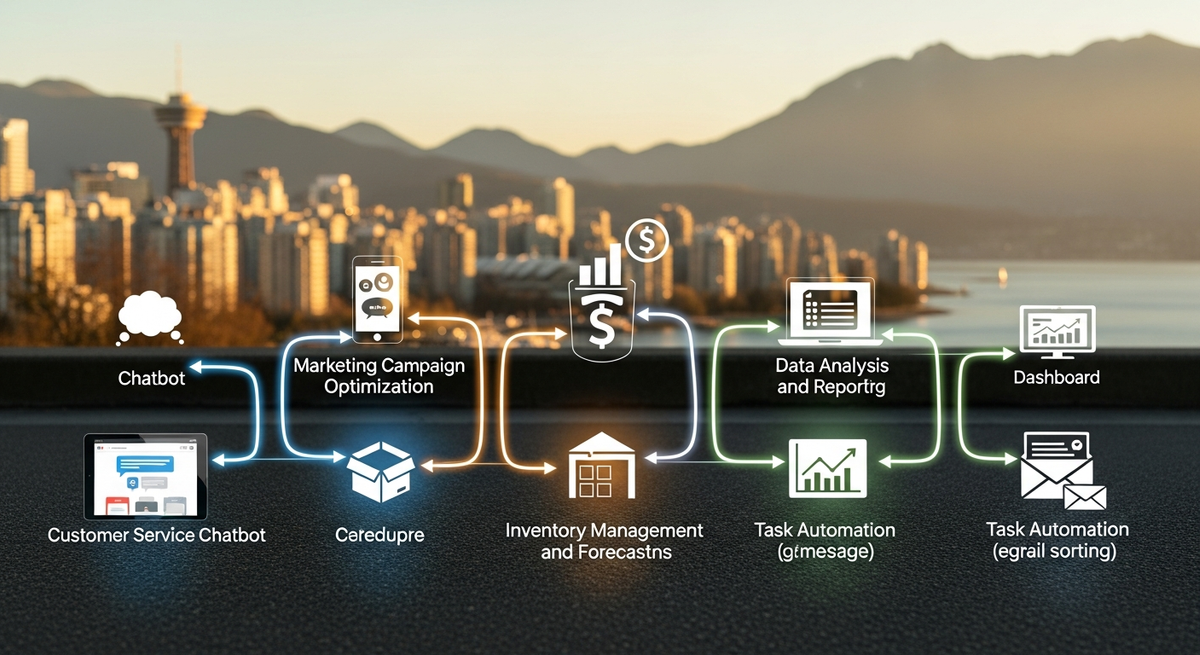
This workflow doesn't replace you or your team. Instead, it protects you from inbox drift—the slow loss of leads because messages get buried. A visual workflow diagram showing how these steps connect can help you map the exact handoff points for your team (see: download the workflow template at FrankYao.com/resources).
Choose tools that match your business size and structure. A solo consultant can use Gmail, Google Sheets, and Zapier. A local service company might use GoHighLevel or HubSpot. A more technical shop can build with n8n, Postgres, and Slack.
Keep the AI part focused and narrow. Ask it to classify inquiries by type or urgency. Ask it to draft a short reply. Ask it to extract key details. Do not ask it to decide pricing, make promises about availability, or answer legal questions.
For example, a safe prompt might say:
"Classify this inquiry as urgent, standard, or low priority. Extract the name, email, phone number, service requested, city, and recommended next action. Draft a short reply for human approval. Do not mention price. Do not promise availability."
That structure—specific input, narrow task, human approval step—is the pattern.
Many firms have multiple tools. Fewer have working systems that actually connect those tools and create a consistent outcome.
Lead intake is a working system.
It also gives you clean data that becomes valuable later. You can see which source brings real prospects (versus browsers). You can measure how fast your team replies. You can track which services people actually ask about. That data later improves SEO strategy, paid ads targeting, sales scripts, and content topics.
This is where AI automation and SEO strategy meet. The form inquiries tell you what buyers are actually searching for and asking about. Those questions become service pages, FAQs, and blog post topics. That is why I often pair workflow design with AI automation consulting and SEO work.
Why should email triage come before an AI chatbot?
Email triage should come before a public chatbot because the inbox already contains the heart of your business.
A public chatbot carries real risks. It can make inaccurate claims in a public space. It can answer from outdated information. It can confuse a serious prospect. It can frustrate users who simply want to speak with a person.
Email triage is safer because it runs behind the scenes. Your staff can review and edit the output. Bad or risky drafts can be deleted before anyone sees them.
The email triage workflow follows these steps:
- Read and analyze new email metadata.
- Detect customer emails, vendor emails, invoices, spam, and newsletters automatically.
- Summarize long email threads so the team can understand them quickly.
- Draft potential replies for staff to review.
- Create tasks when a reply requires action or follow-up.
- Flag anything sensitive or risky for human handling only.
For many small businesses, this single workflow saves more time than a chatbot would. More importantly, urgent customer complaints and opportunities are surfaced and routed to you within 2 minutes instead of 6 or more hours.
Office workers spend substantial time in email, chats, and meetings, with far less time devoted to creation apps like Word and PowerPoint. That tells us something important: people aren't drowning in strategy work. They're drowning in messages.
An email triage workflow can use Gmail labels, Outlook categories, Slack alerts, or dashboard tasks. It can also automatically flag emails that need attention from Frank (you, the owner), the bookkeeper, the sales team, or a specific manager.
Keep the system rules strict and clear:
- AI should not send first contact emails or sales pitches without explicit approval.
- AI should not handle customer complaints alone.
- AI should not discuss refunds, contracts, medical details, legal matters, or private employee issues.
For Canadian businesses, privacy protection matters significantly. The Office of the Privacy Commissioner of Canada (OPCC) sets PIPEDA—the Personal Information Protection and Electronic Documents Act. This law requires businesses to:
- Collect personal information lawfully and for a clear, stated purpose.
- Keep data secure and protected.
- Limit use to the purpose stated when collected (do not share with vendors or other companies without consent).
- Allow people to access and correct their own information.
- Report data breaches to the Commissioner and affected individuals.
- Appoint an accountability officer.
Any workflow that touches customer email, phone numbers, names, addresses, or transaction history is handling personal information covered by PIPEDA. Before building such a workflow, ask these questions:
- What personal data enters the workflow?
- Which tool stores it (Gmail, HubSpot, Zapier)?
- Can staff see only what they need to do their job?
- Is the AI vendor (OpenAI, Anthropic, Google) allowed to use or train on your data?
- Is there a human approval step before sensitive information is shared?
- Can the data be deleted or removed later if requested?
Small businesses don't need a legal review for every automation, but they do need common sense. Don't paste private customer data into tools with unclear privacy settings. Don't let a bot send sensitive replies without approval. Don't connect every app just because Zapier makes integration easy.
The right email workflow gives you and your team control. It doesn't create a new, larger mess.
How should small businesses automate review requests first?
Review request automation is one of the cleanest and most straightforward early wins you can implement.
It is simple, measurable, helps local SEO, and keeps the human relationship intact throughout the process.
The workflow operates like this:
1. A job, appointment, or project is marked as complete. 2. The customer is checked against a do-not-contact list. 3. The system waits a set number of days (often 3–7). 4. AI drafts a plain, honest review request. 5. A human approves, edits, or personalizes it. 6. The customer gets a direct link to your Google Business Profile. 7. The response and review (if posted) are logged.
This helps local service firms in Vancouver, Richmond, Surrey, North Vancouver, and Burnaby. It also helps remote consultants and agencies that depend on reputation and trust. A Richmond home services company I worked with ran this review request workflow for 90 days. Their review count increased significantly. Their Local Pack visibility improved noticeably, and qualified lead volume increased measurably.
Do not fake reviews or ask AI to write fake reviews on behalf of customers. Do not only ask happy customers (biased sampling). These shortcuts are short-term thinking that can damage trust later.
Use AI for what it does well: timing the request perfectly, sorting customers into priority groups, and drafting a professional message. Keep the request honest and human.
A review request might simply say:
"Thanks again for working with us on this project. If you're happy with the results, would you be open to leaving a short Google review? It helps local businesses like ours get found by people who need our services."
That is enough to get results.
Google's own local ranking documentation states that local results are based mainly on relevance, distance, and prominence. Reviews are a key part of the prominence signal. A steady review system supports that signal consistently.
The SEO value is not magic. It is discipline.
One honest request after every completed job beats a panic campaign twice a year. A simple, direct review link beats a long email. A human-approved message beats AI praise that sounds fake or overly polished.
This workflow pairs well with your service pages. For example, a business can direct customers to the right service page before asking for a review. A marketing client can point prospects to FrankYao.com services for AI and SEO work. A search-focused client can point prospects to Zealous SEO for campaign help.
The same idea works across many industries. Dentists, med spas, home service companies, consultants, and local retailers all need social proof and reviews before a sales call. Reviews give buyers confidence and proof before they commit to contact you.
AI should not invent that proof. It should help you collect and organize the proof that already exists.
Why should content repurposing be an early AI workflow?
Content repurposing should come early because most businesses already create valuable raw material—they just don't maximize its use.
A sales call contains buyer questions and objections. A proposal shows your positioning and expertise. A support email reveals common objections. A webinar or recorded demo contains examples and explanations. A blog post has snippets for social media. A Loom video or screen recording has a step-by-step tutorial. A Google Doc has the foundation for a future newsletter or guide.
AI can turn one piece of approved source material into many draft assets quickly.
The workflow can follow these steps:
- Record or upload one source asset (call, transcript, document, video, etc.).
- Transcribe it with a tool such as Whisper, Descript, or Fathom.
- Extract and organize the key points or main ideas.
- Draft multiple assets: a blog outline, LinkedIn post, FAQ section, email sequence, or social snippets.
- Check each draft against your brand guidelines and voice.
- Send all the drafts to a human for editing and approval.
This is a strong workflow because it starts from real company knowledge and real expertise. It does not ask AI to invent knowledge or fake experience that doesn't exist.
That distinction matters.
McKinsey's 2025 State of AI survey reported that a significant share of respondents from organizations using AI had seen at least one negative consequence. Many reported consequences tied to AI inaccuracy or hallucinations—making up facts or details.
That is why content workflows should start from source material.
Do not ask AI to write from a blank prompt about your industry or your business. Instead, feed it a call transcript, a service page, a client-approved FAQ, or your process notes. Then ask for a draft based on that material.
At FrankYao.com, the stronger content angle isn't "AI can help your business." That line has been overused. The stronger angle is: "Here is the exact workflow. Here is what it reads. Here is where the human checks it. Here is what can break and how to fix it." That is how real buyers think.
For SEO strategy, this workflow also improves your topical depth and coverage. One source piece can become:
- A detailed comparison article.
- A case study or breakdown.
- A comprehensive FAQ page.
- A sales enablement email for your team.
- A Google Business Profile update with details.
- A short video script (60–90 seconds).
- Multiple LinkedIn posts at different angles.
But each asset needs genuine editing and customization. AI drafts are not finished strategy. They are raw clay waiting to be shaped.
This is where many owners get stuck. They ship generic AI content because it is fast. Then nothing ranks. Nothing earns trust. Nothing sounds like the actual business or brand voice.
The fix is straightforward. Use AI to repurpose what the business already knows and has done. Do not use it to fake expertise or experience the business has not actually had.
If search traffic is your main growth goal, pair this workflow with proper keyword research, internal linking strategy, and topical authority building. The Zealous Digital Solutions site is a better starting point for SEO-led work. The FrankYao.com services page is a better starting point for AI automation and advisory consulting work.

When should a small business build an internal knowledge workflow?
Build an internal knowledge workflow once your team starts repeating the same answers to the same questions over and over.
This is where a RAG system becomes genuinely useful.
RAG stands for "retrieval augmented generation." In plain English: the AI answers questions by searching your approved documents first, then drafting an answer using material from those documents. That is fundamentally different from asking ChatGPT to generate an answer based on its training data.
A small RAG system can draw from:
- Service descriptions and what each service includes.
- Standard operating procedures (SOPs) for common tasks.
- Pricing guidelines without exposing private client rates.
- Brand voice notes and communication guidelines.
- Proven sales scripts and talking points.
- Onboarding documents for new team members.
- Support FAQs and common objection answers.
- Past approved proposals and project examples.
- Product documentation and specifications.
For a Vancouver business, this internal system can quickly answer staff questions like:
- "What do we say when a prospect asks about timelines or turnaround?"
- "Which intake form should this type of client fill out?"
- "What is the follow-up email we send after a discovery call?"
- "What is our refund or satisfaction guarantee policy?"
- "Which service page should this particular lead see first?"
The AI should cite exactly where the answer came from (which document, which section). Staff should see the source, which helps them verify accuracy. If the source document is old or outdated, the answer becomes suspect and should be reviewed.
This workflow works well in Notion, Google Drive, SharePoint, Slack, or a custom internal app. Tools like Claude, ChatGPT Team, Microsoft 365 Copilot, Glean, and custom vector databases can all play a useful role, depending on your setup. The tool choice depends on your data volume and how your team actually works.
Do not overbuild the system initially.
A simple three-folder Google Drive structure with clear file names can often outperform an expensive knowledge management system if the files are well-organized and current. Start with your most important approved documents. Remove duplicate or conflicting versions. Mark files that are outdated or need review. Name files clearly. Then connect AI to search and summarize them.
The biggest trap is connecting AI to a messy, disorganized archive. That creates confident-sounding but incorrect answers—what experts call hallucinations.
An internal knowledge workflow works best after you have already implemented lead intake and email triage. By that point, you know what questions people actually ask most often. You know which answers repeat across conversations. You know which documents need cleanup and organization. That sequence makes sense.
Which AI workflows should small businesses avoid at the start?
Avoid automating any workflow where a wrong answer creates real business risk or legal exposure.
That includes public AI agents on your website, unsupervised sales bots, auto-sent legal replies, medical or health advice, HR decisions, financial recommendations, and anything involving private customer data without strict controls.
A small business should also avoid automating a broken process.
If nobody owns or updates the CRM, AI will not fix it. If the offer is unclear or inconsistent, AI will not fix it. If your inbox is full of stale or abandoned leads, AI will only expose the problem faster. If your team doesn't consistently follow up on leads, AI will reveal that gap in real time.
The worst first projects usually sound something like this:
- "Build us an AI chatbot that handles everything on the website."
- "Make AI answer every single customer email automatically."
- "Use AI to write all our blogs from keywords without anyone checking them."
- "Connect every app in the entire company at once."
- "Replace our admin assistant with AI agents."
These projects sound advanced and impressive. They are often fragile and prone to failure.
A better first project has a smaller, more specific promise:
- "Classify every lead by type and urgency."
- "Draft replies for the team to approve before sending."
- "Create a task when nobody follows up on a lead."
- "Ask for a review automatically after completed work."
- "Turn one approved transcript into draft posts, emails, and outlines."
That is how you build genuine trust with the system.
Many small businesses now use generative AI, with adoption growing year-over-year. That does not mean every business is using AI maturely or correctly. It means the tools have spread much faster than the operating rules and safeguards have.
Rules and guidelines matter more than hype and flashy features.
For every workflow you build, define these seven elements:
- Trigger: What event starts the workflow?
- Input: What data enters the system?
- Action: What does the AI actually do?
- Approval: Who reviews and checks the output?
- Output: What gets sent, saved, or changed?
- Log: Where is the record kept for audit?
- Metric: How do we measure whether it worked?
If you cannot clearly answer those seven questions, the workflow is not ready to deploy.
How should a Vancouver small business choose the first AI workflow?
Choose the workflow that is closest to revenue generation and furthest from public-facing risk.
For most Vancouver small businesses, that means lead intake should come first.
A Mount Pleasant clinic, a Kitsilano consultant, a Richmond trades company, and a Burnaby ecommerce brand all have completely different operations. Yet the first workflow evaluation is surprisingly similar across all of them.
Ask these questions about your current process:
- Where do new inquiries and leads actually arrive?
- How fast do we respond to inquiries on average?
- Which inquiries get missed or overlooked?
- Which replies and responses do we repeat often?
- Which customer data do we need in the CRM for follow-up?
- Which follow-up step or task often fails to happen?
- What parts can AI safely draft or prepare without actually sending?
Then build the smallest workflow that fixes one specific leak or gap.
Do not start with ten different automations. Start with one clear workflow.
Here is a practical 30-day plan to implement your first workflow.
Week 1: Map the workflow
Pick one process to automate. Lead intake is usually the best starting choice.
Write down the current steps exactly as they happen. Do not clean them up or optimize yet. Just record what actually happens: which tools are used, which people touch it, where delays happen, and where failures occur.
Then mark each step with one of these labels:
- Keep: This step works and we should keep it.
- Remove: This step doesn't add value and should go.
- Automate: AI can handle this step reliably.
- Human review: A person needs to check or approve this step.
This gives you your build roadmap.
Week 2: Build the first version
Use simple, straightforward tools. Zapier, Make, or n8n can easily connect forms, Gmail, Slack, Google Sheets, HubSpot, or GoHighLevel.
Add AI only where it genuinely helps reduce time or errors. Classification and drafting are good first uses. Decision-making and judgment calls are not.
Always keep a human approval step before anything leaves the system.
Week 3: Test with real data
Run the workflow on real, live inquiries. Do not set it to send anything automatically at this stage.
Check the AI output carefully. Look for bad labels or classifications, missing details, weak or generic tone, and risky or inaccurate claims.
Fix the prompt. Fix the fields and data mapping. Fix the handoff between steps.
Week 4: Measure and expand
Track a few key metrics:
- Average lead response time.
- Count of missed or ignored inquiries.
- Percentage of AI drafts the team approves.
- Number of booked calls or sales conversations.
- Staff time saved per week.
If the workflow is working and delivering value, add one more channel or input source. That might be Google Business Profile messages, Facebook messages, voicemail transcription, or web chat.
This is how AI automation becomes a lasting operating habit rather than a one-time demo.
What tools should small businesses use for first AI workflows?
Use the tools that your team already touches every day.
This answer often disappoints people who collect software. It is still the right answer.
If your team lives in Google Workspace, start building there. If they work primarily in Microsoft 365, start with Outlook, Teams, SharePoint, and Copilot. If your sales team lives in HubSpot, build your workflow around HubSpot. If the business already uses GoHighLevel, connect that platform first. If the owner or a team member is technical, n8n gives more control and customization.
Here are some common first-stack combinations:
- Gmail or Outlook for email intake.
- Google Forms, Typeform, or your website forms for lead capture.
- Google Sheets or Airtable for early tracking and data.
- HubSpot, GoHighLevel, or Pipedrive for your CRM.
- Slack or Teams for alerts and notifications.
- Zapier, Make, or n8n to connect all these tools.
- ChatGPT, Claude, Gemini, or Microsoft 365 Copilot for AI tasks.
- Google Business Profile for reviews and local SEO signals.
The specific stack matters less than the control layer.
The control layer is the set of rules and checkpoints that defines what AI is allowed to do. It includes approval steps, logs of what happened, limits on data, and fallback paths when things go wrong.
A good first workflow has clear, even boring controls:
- No auto-send for sales replies without approval.
- No private customer data in test prompts or experiments.
- No AI-written prices or cost estimates.
- No claims or facts that are not found in source documents.
- No customer-facing output without human review.
- No hidden workflows that the team cannot inspect or understand.
This is not fear or paranoia. It is adult supervision and responsible automation.
IBM's 2024 Global AI Adoption Index reported that limited AI skills, data complexity, and ethical concerns were major barriers to AI adoption in organizations. Those exact barriers show up in small businesses too. The fix is not purchasing more software. The fix is building smaller workflows with clearer rules and simpler controls.
How do you measure whether an AI workflow worked?
Measure the before state and the after state. Do not rely on feelings or impressions.
AI demos feel impressive and impressive. But operations require real numbers to show whether something actually works and created value.
Use a simple scorecard to track:
- How many minutes did the workflow save per week or per month?
- How many leads were captured or processed?
- How many replies or messages were drafted?
- How many drafts needed heavy editing by staff?
- How many tasks or reminders were created?
- How many errors were caught and fixed?
- How many meetings, calls, or sales conversations resulted?
For lead intake specifically, measure average response time and how many of those leads result in booked calls. A Kitsilano consultant I advised had an average lead response time of 8 hours. After implementing this workflow, average response dropped to 35 minutes. Within two months, the number of booked discovery calls increased from 2–3 per week to 5–6 per week—a significant improvement.
For email triage, measure time to clear the inbox and count how many urgent emails were missed.
For review requests, measure requests sent and reviews actually received and posted.
For content repurposing, measure drafts approved by staff and assets actually published.
For internal knowledge searches, measure repeated questions answered and source accuracy.
One additional metric matters: track rejection and editing.
If staff reject or need to heavily edit most AI drafts, the workflow is not complete or correct. The prompt may be too generic. The source material may be thin or incomplete. The task may not be a good fit for AI. The tone or voice may be wrong. Rejection is useful feedback.
The best workflow is not the one that looks smart on a slide. It is the one your team keeps using after the initial excitement fades and it becomes just part of your normal routine.
What is the recommended order for the first five AI workflows?
Here is the implementation order I recommend for most small businesses.
1. Lead intake and routing
Capture every inquiry from all channels. Classify it by type and urgency. Create the CRM record automatically. Draft an initial reply. Alert the right owner or sales person.
This step protects revenue first, which is why it comes first.
2. Email triage and task creation
Sort and organize the inbox automatically. Summarize long email threads so staff can understand them quickly. Create tasks for items needing action. Draft replies for approval.
This reduces daily noise and inbox overwhelm.
3. Review request follow-up
Trigger a review request automatically after a completed job or service. Log whether the customer responded and whether they left a review. Keep the language honest and personal.
This supports trust and local SEO signals.
4. Content repurposing from approved material
Turn calls, FAQs, service descriptions, and approved notes into draft posts, emails, email sequences, and blog outlines.
This supports marketing without inventing fake expertise.
5. Internal knowledge search
Build a small RAG system from your approved documents. Help your team find answers faster and ensure consistency.
This improves training and consistency across the team.
That order is not random or arbitrary. It moves from protecting revenue to saving time to building trust to creating marketing content to improving internal operations.
Most small businesses should not start with autonomous agents and fully automated systems. They should start with assistive workflows instead.
An assistive workflow drafts, labels, summarizes, and reminds. A person still reviews and checks the work. That is the correct and safer first step.
The final test is simple and clear. If the workflow disappeared tomorrow, would your team actually miss it?
If the answer is yes, you built something genuinely useful.
If the answer is no, you built a demo.
AI automation is not about looking modern or cutting-edge. It is about removing one specific drag point or bottleneck at a time. Start where the business already leaks time or loses leads. Build the smallest system that catches that leak. Then repeat the process for the next bottleneck.
Book a discovery call at FrankYao.com to explore how AI automation can work for your specific business. If SEO is the bigger growth lever for you right now, visit Zealous Digital Solutions and start there instead.
Test Your Knowledge
1. What are the five AI automation workflows that Frank Yao recommends small businesses implement first?
- A. Chatbot, email automation, social media posting, inventory management, and customer analytics
- ✅ B. Lead intake, email triage, review requests, content repurposing, and internal knowledge search
- C. Sales pipeline automation, billing automation, customer service chatbot, marketing personalization, and data analysis
- D. Website optimization, paid advertising automation, email marketing, competitor tracking, and CRM setup
*The article explicitly lists these five workflows in the TL;DR section as the recommended starting point for small businesses.*
2. According to the article, what is the biggest mistake small businesses make when starting with AI automation?
- A. Not investing enough budget in tools
- B. Ignoring data security and compliance
- ✅ C. Starting with a chatbot instead of simpler workflows
- D. Waiting too long before implementing any automation
*The article explicitly states 'The biggest mistake is starting with a chatbot' and recommends building straightforward systems like lead intake first.*
3. What four important characteristics should the best first AI workflows have?
They should occur daily or nearly daily, use data the business already owns, include a human review step before output, and be measurable in concrete terms like minutes saved, leads captured, or calls booked.
4. How does a lead intake workflow address the primary problem many small businesses face?
It solves the response problem by automatically capturing inquiries from multiple channels, classifying them, alerting the right team member, and preventing leads from being missed or delayed—addressing what the author calls 'inbox drift.'
FAQ
Which AI automation workflows should small businesses start with first?
Start with lead intake, email triage, review requests, content repurposing, and internal knowledge search. These workflows happen frequently, can be measured easily, and are safer than public-facing AI agents.
Should a small business build an AI chatbot first?
Usually, no. A chatbot is public-facing and carries more risk. Start with behind-the-scenes workflows that your staff can review before anything is sent. Lead routing and email triage usually pay for themselves faster.
What is the safest first AI automation workflow?
Lead intake is often the safest starting point. AI can classify the inquiry, extract key details, draft a reply, and send an alert. Your human staff still reviews and approves the response before it goes out.
What tools are best for small business AI automation?
Use tools your team already uses every day. Common choices include Gmail, Outlook, HubSpot, GoHighLevel, Google Sheets, Slack, Teams, Zapier, Make, n8n, ChatGPT, Claude, Gemini, and Microsoft 365 Copilot.
How do I know if an AI workflow is worth keeping?
Track response time, count of missed leads, drafts approved by staff, time saved, reviews received, and booked calls. Keep the workflow if it saves time, reduces errors, or helps revenue without creating hidden risk or extra work. ---
Related: For more on this, see Can Small Businesses With Limited Budgets Use AI Automation Effectively?.
Where Are You Right Now?
What's your biggest challenge with AI and your business right now?
Related Articles



Ready to put this into action?
Let's talk about how AI automation and smart digital strategy can drive real results for your business.